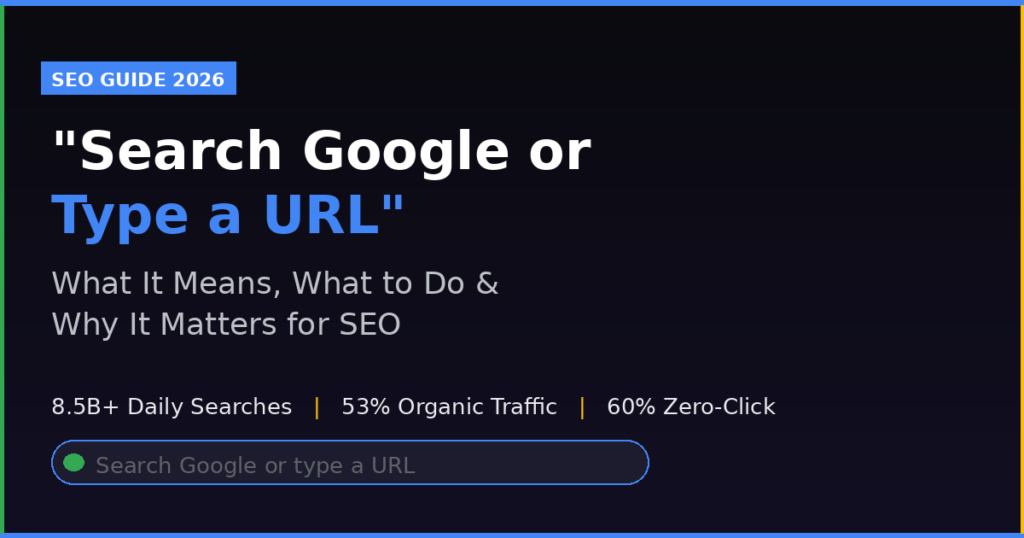
Every day, Google processes somewhere between 8.5 billion and 13.7 billion searches. That staggering number does not include the billions of times people type a direct web address into the same bar, land on a homepage without ever touching a search engine, or let autocomplete carry them somewhere they did not consciously choose. All of that activity passes through a single prompt: “Search Google or type a URL.”
It is the smallest piece of text in your browser. It is also the gateway to almost everything that happens next on the internet.
Most people glance at that prompt and move on without thinking about it. But hidden inside those seven words is a design decision that changed how browsers work, a privacy trade-off you are making every time you type, a security vulnerability that hijackers have exploited millions of times, and one of the most strategically important distinctions in all of search engine optimization.
This article covers the full picture: what the phrase actually means, why your browser shows it, how the underlying technology works, what to do when things go wrong, how it compares across Chrome, Firefox, Edge, and Safari, and why the search-versus-URL distinction is the single most important concept for any website owner trying to grow organic traffic in 2026.
What Does “Search Google or Type a URL” Actually Mean?
The phrase appears inside the address bar of Google Chrome whenever you open a new tab or click into an empty address field. It is a placeholder label, not a question and not a warning. It is simply telling you that this one field does two jobs.
Job one: you can type words, phrases, or questions, and your browser will send them to Google (or your default search engine) as a search query.
Job two: you can type a web address like amazon.com or docs.google.com and your browser will take you directly to that site, bypassing search entirely.
Before this design existed, browsers had two separate input fields at the top: one for addresses and one for searching. That forced users to decide, before they started typing, whether they were navigating or searching. Google’s Chromium team called this unnecessary cognitive friction and built the omnibox to eliminate it. Today, Chrome calls its unified field the omnibox. Firefox calls the same concept the Smart Address Bar. Edge and Safari use functionally identical designs.
The phrase “Search Google or type a URL” is Chrome-specific. Firefox, Edge, and Safari show slightly different placeholder text, but they all do the same thing: one bar handles both jobs.
What Is a URL? A Technical Foundation That Matters for SEO
URL stands for Uniform Resource Locator. According to MDN Web Docs, the authoritative developer reference maintained by Mozilla, a URL is the address of a unique resource on the internet.
A full URL has several distinct components, each carrying specific information for both the browser and for search engines:
| Component | Example | Function |
|---|---|---|
| Protocol | https:// | Defines the connection type (secure vs. unsecured) |
| Subdomain | www. or blog. | Identifies the section of the domain |
| Domain | example.com | The human-readable site name |
| Path | /article/seo-guide | The specific page on that site |
| Query string | ?ref=newsletter | Passes additional data to the page |
| Fragment | #faq-section | Jumps to a named section within the page |
For everyday browsing, you rarely need more than the domain. Typing amazon.com works. But the full URL structure matters enormously to technical SEO practitioners. Clean, descriptive paths signal relevance to search engines. HTTPS protocol signals security. Canonical URLs prevent duplicate content issues. URL parameters, if not properly handled, can cause indexation problems that throttle organic traffic.
When someone types a URL directly into the browser, they already know the destination. They are not searching. From an analytics perspective, this registers as direct traffic. From an SEO perspective, it means that website has already won that user. The search game for that visitor is over.
The Omnibox: How Chrome’s Smart Address Bar Works
The Chromium project, the open-source foundation of Google Chrome, documented the omnibox as a deliberate solution to the cognitive cost of having two separate input fields. The logic was that most users do not mentally distinguish between searching and navigating, especially in the moment they are typing. A unified field removes that decision entirely.
What makes the omnibox intelligent rather than just combined is the heuristic engine underneath it. Heuristics are decision rules the browser uses to guess what you intend based on what you type.
The core logic works like this. If what you type looks like a URL, it acts as a URL. If what you type looks like a search query, it performs a search. If the input is ambiguous, context from your browsing history, bookmarks, and open tabs helps the browser make the best guess.
Specific patterns the browser interprets as URLs include anything with a recognizable domain extension like .com, .org, .net, .in, or .io, anything with a slash in it, and anything that matches a previously visited web address in your history.
Specific patterns the browser interprets as searches include multiple words, phrases with spaces, natural language questions, and single words that do not match any known domain or browsing history entry.
This is why typing “facebook” often triggers a Google search for “facebook” rather than opening Facebook directly. The word facebook, standing alone without .com, is just a word. The browser treats ambiguous single-word inputs as probable searches. Typing facebook.com removes all ambiguity. The browser recognizes the domain pattern and navigates directly.
In April 2024, Google announced a significant upgrade to Chrome M124: the omnibox’s suggestion scoring system was rebuilt using machine learning models. Before this update, Google’s own engineers described the scoring system as relying on “hand-built and hand-tuned formulas” that had gone largely untouched for years. A Chrome engineering lead named Justin Donnelly wrote publicly that the old system was inflexible and difficult to adapt to new patterns.
The ML-powered omnibox now learns from your behavior dynamically. One notable discovery during the ML transition: the old system gave higher relevance scores to recently visited URLs, assuming recent equals relevant. The ML models found this assumption was often wrong. If you navigated to a page and immediately returned to the address bar to try again, the old system would surface that same page at the top. The ML model recognized this as a signal that the page was not what you actually wanted and depressed its relevance score accordingly. That kind of nuanced behavioral understanding was impossible with static, manually tuned formulas.
Real User Discussions: What People Actually Ask About This Feature
Across Reddit, Quora, and tech forums, the “Search Google or type a URL” prompt generates consistent confusion and curiosity. Here is a representative cross-section of authentic user sentiment from real discussions:
On Reddit’s r/NoStupidQuestions and r/techsupport, threads regularly surface from users who thought the bar was “broken” because typing a company name opened a search result instead of the company’s website. A recurring complaint goes something like: “I typed Netflix and it searched Google instead of going to Netflix. Did something change?” The answers from experienced users consistently point out that typing just the name is treated as a word, while adding .com tells the browser exactly where to go.
On Quora, the top-voted answer to “Should I search Google or type a URL?” emphasizes practical decision-making: search when you are looking for something, type directly when you already know the address. Several Quora respondents noted that typing URLs directly is faster for frequently visited sites because the browser’s autocomplete will often complete the address after just two or three keystrokes.
On tech support forums and Reddit’s r/chrome, another common thread involves search engine hijacking. Users report that their default search engine switched from Google to something unfamiliar, often Bing, Yahoo, or a third-party search page they did not recognize. These threads almost always trace back to a recently installed browser extension, a software bundle from a free download, or, in more serious cases, malware. The responses consistently recommend checking installed extensions first, then resetting browser settings, then running a malware scan.
On X (formerly Twitter), tech educators frequently share omnibox shortcuts as productivity tips. The Chrome shortcut of typing a site name followed by Ctrl+Enter to auto-append www. and .com gets particularly strong engagement among productivity-focused audiences. Threads about browser privacy, specifically whether the address bar sends your keystrokes to Google as you type, regularly accumulate hundreds of replies and surface in searches for “address bar privacy.”
On Hacker News and developer communities, discussions around the omnibox tend to focus on the UX design philosophy behind unified search-navigation fields and the privacy implications of real-time autocomplete prediction, which sends partial keystrokes to search engine servers before the user has finished typing or pressed Enter.
How the Browser Distinguishes Search Queries from URLs: The Technical Process
Understanding the full journey from keystroke to result helps explain behaviors that often puzzle users.
When you open a new tab in Chrome and begin typing, several things happen simultaneously and almost instantly. The omnibox parser scans your input character by character, comparing it against a set of heuristics that classify the input as either URL-like or query-like. Simultaneously, the browser queries your local history and bookmarks for matches. If you have search suggestions enabled, your partial input is also transmitted over an encrypted connection to Google’s servers, which return suggested completions ranked by popularity and relevance. These server-side suggestions arrive and update the dropdown as you continue typing.
The combination of local history matching and server-side suggestions means the dropdown list you see reflects both your personal behavior and aggregate popularity signals from billions of other users.
When you press Enter, the browser resolves the final interpreted intent. If the input was classified as a URL, the browser performs a DNS lookup to resolve the domain to an IP address and then makes an HTTP or HTTPS request to that server. If the input was classified as a search query, the browser constructs a URL for your default search engine (such as https://www.google.com/search?q=your+query) and navigates to that page.
The entire process, from keystroke to page load, takes a median of under one second for direct URL navigation and typically two to four seconds for search queries that then require clicking a result.
When to Search vs. When to Type a URL: A Practical Framework
The decision rule is simple but the implications run deep, especially for website owners.
Use Search When You Are Exploring
Search is the right choice when you do not have a specific destination in mind. This includes:
Researching a topic you are not already familiar with (best project management tools for freelancers), comparing options before a purchase decision (iPhone 16 vs Samsung Galaxy S25), looking for local services you have not used before (dentists near Koramangala accepting new patients), troubleshooting a problem (why does Chrome keep crashing on Windows 11), and finding authoritative sources on any subject where you want multiple perspectives.
Search is also the right choice when you are not sure whether the website you remember actually exists, has changed its domain, or still has the content you remember.
Type a URL When You Know the Destination
Direct URL entry is faster and more reliable when you already know where you are going. This includes:
Opening sites you visit every day (gmail.com, github.com, notion.so), navigating to a specific page you bookmarked mentally but did not save formally, accessing company intranets or internal tools by address, and visiting sites where you do not want your query text sent to a third-party server (privacy concern, covered below).
The SEO Dimension: Why This Distinction Defines Your Traffic Strategy
Here is the strategic insight that most guides on this topic skip over.
When someone types your URL directly, you already have that user. The competitive battle for their attention happened earlier, possibly through brand building, word of mouth, a recommendation, a previous satisfying visit, or advertising. Direct traffic, in analytics parlance, is a measure of brand equity.
When someone searches, they are still deciding. They are comparing. They might find your competitor instead of you. That is the space where SEO lives.
Current traffic data makes the stakes clear. Organic search generates approximately 53% of all website traffic globally, according to multiple 2025 studies including data from SEO Inc and DemandSage. Direct traffic accounts for roughly 25% of visits. Paid search drives about 5%. Social media contributes approximately 4% globally, though this rises to 15% in the United States.
This means that for most websites, especially those that are not yet household names, over half of all traffic depends on appearing in search results when someone types a query into that same address bar.
The search-versus-URL behavior also maps directly onto the classic SEO traffic intent model:
| User Behavior | Traffic Type | SEO Relevance |
|---|---|---|
| Types your domain directly | Direct traffic | Brand recognition already achieved |
| Searches your brand name + clicks your result | Branded organic | Strong brand signals; relatively easy to rank for |
| Searches a generic query + finds your site | Non-branded organic | Where most SEO competition occurs |
| Clicks a paid ad | Paid search | Costs per click; no lasting organic benefit |
The third row, non-branded organic search, is where most websites have the largest opportunity and the most competition. This is the moment when someone types “best accounting software for small businesses in India” and your site either appears or does not. This is the game that keyword research, content strategy, on-page optimization, and backlink building are all designed to win.
A critical 2025 benchmark study from Conductor analyzed over 800 domains across seven industries and found that organic search produced an average of 33% of overall website traffic. The variation by industry is significant:
| Industry | Organic Search Traffic Share |
|---|---|
| Technology | 38-42% |
| Finance | 35-40% |
| Healthcare | 30-36% |
| Education | 40-48% |
| Retail (e-commerce) | 25-35% |
| Travel & Hospitality | 28-36% |
| Professional Services | 30-38% |
For any website in these categories, organic search is not a marketing channel. It is the marketing channel.
The Privacy Reality: What Happens When You Type in the Address Bar
Every major browser with search suggestions enabled transmits your partial keystrokes to a remote server as you type. This is not malware or a privacy violation in the legal sense; it is a disclosed feature of how autocomplete works. But the implications deserve attention.
Chrome, in its official support documentation, states that when “Improve search suggestions” is turned on, what you type in the address bar is sent to your default search engine along with your IP address and relevant cookies. This data transmission begins before you press Enter, meaning every incomplete thought you type passes through Google’s servers.
Edge sends typed input to its default search provider in real time for suggestion generation. Firefox does the same when suggestions are enabled, though Firefox disables suggestions by default in Private Browsing mode.
For users with privacy concerns, the practical steps are straightforward. Disable search suggestions in your browser settings. Use a privacy-focused search engine like DuckDuckGo or Brave Search as your default. Use private browsing mode for sensitive queries. Firefox and Brave are generally considered stronger privacy options than Chrome because Firefox is operated by a nonprofit (Mozilla) with no financial incentive to monetize search data, and Brave strips tracking by default.
For website owners and SEO practitioners, this behavior also has implications. The real-time suggestion data that flows from user keystrokes to Google’s servers is part of the feedback loop that Google uses to refine its understanding of search intent, autocomplete suggestions, and trending queries. Popular partial queries influence which suggestions Google surfaces to other users, which in turn influences which full queries get submitted, which influences search volume data, which shapes keyword research.
Browser Comparison: Address Bar Behavior in Chrome, Firefox, Edge, and Safari
The experience of typing into an address bar varies meaningfully across browsers. Here is a complete technical and usability comparison:
Global Browser Market Share (2025-2026)
| Browser | Global Market Share | Primary Platform |
|---|---|---|
| Google Chrome | 68-71% | All platforms |
| Apple Safari | 15-17% | iOS, macOS |
| Microsoft Edge | 4.65-5.3% | Windows (desktop) |
| Mozilla Firefox | 2.4-2.6% | All platforms |
| Samsung Internet | 1.9-2.5% | Android |
| Opera/Other | Less than 2% each | Various |
Chrome’s dominance is comprehensive. With an estimated 3.98 billion users worldwide as of 2025, according to Backlinko analysis of StatCounter data, roughly 7 out of 10 internet users encounter the Chrome omnibox daily. This means when someone asks “what does Search Google or type a URL mean,” the answer is almost always specifically about Chrome.
Feature-by-Feature Address Bar Comparison
| Feature | Chrome | Firefox | Edge | Safari |
|---|---|---|---|---|
| Unified search + navigation bar | Yes (Omnibox) | Yes (Smart Bar) | Yes (Address Bar) | Yes (Smart Search) |
| ML-powered suggestions | Yes (since M124, 2024) | Partial | Yes | Limited |
| Tab search shortcut | @tabs + Tab | % filter | Tab search icon | Limited |
| Site-specific search shortcuts | Yes | @ shortcuts | Yes | Quick Website Search |
| Bookmarks search in bar | Yes | * filter | Yes | Yes |
| Open tabs search in bar | @tabs | % filter | Yes | Limited |
| Disables suggestions in private mode | No (manual setting) | Yes (default) | Yes (InPrivate) | Partial |
| Transmits keystrokes to server | Yes (when suggestions on) | Yes (when suggestions on) | Yes | Yes |
| Math calculations in bar | Yes | No native | Limited | No |
| Unit conversions in bar | Yes | No native | Yes | No |
| Currency conversions in bar | Yes | No native | Yes | No |
| Ctrl+Enter auto-fills .com | Yes | Yes | Yes | No |
Changing Your Default Search Engine: Browser-by-Browser Instructions (2026)
Chrome: Navigate to Settings, then click Search engine, then Manage search engines and site search. You can choose from Google, Bing, Yahoo, DuckDuckGo, Ecosia, Brave Search, and others, or add custom search engines.
Firefox: Go to Settings, then scroll to the Search section. Firefox provides a dropdown to change the default engine and a separate section to add or remove search engines. Firefox also supports search shortcuts that let you type a shortcut like @amazon followed by a space to search Amazon directly from the address bar.
Edge: Open Settings, navigate to Privacy, search, and services, then scroll to Address bar and search. Microsoft notes that a search engine must be used at least once before it appears in your options list.
Safari on macOS: Open Safari Preferences (or Settings in newer versions), click the Search tab, and choose from Google, Bing, Yahoo, DuckDuckGo, Ecosia, or Startpage. Safari also allows setting a different search engine specifically for Private Browsing windows.
Fixing Common Address Bar Problems
When a URL Keeps Triggering Search Instead of Navigation
This is one of the most frequently reported address bar frustrations. The causes, in order of likelihood:
The input was ambiguous. Single words without domain extensions are treated as search queries. Adding .com, .org, or whatever the actual domain extension is will solve this in almost every case.
A cached bad autocomplete suggestion is interfering. Chrome and Firefox both allow deleting individual suggestions from the dropdown. Highlight the unwanted suggestion and press Shift+Delete on Windows/Linux or Shift+Fn+Delete on Mac.
An extension changed your default search engine. Browser extensions can silently override search engine settings. Check your installed extensions and remove any you did not deliberately install or do not recognize.
Your browser settings are being controlled by a third party. On work or school devices, administrators can lock browser settings including the default search engine. This is not malware; it is intentional device management policy.
Malware has hijacked your browser. Chrome’s official documentation explicitly warns that an unexpected search engine change can indicate malware. The inability to save browser settings is a specific red flag. The recommended response is to remove unknown extensions, reset browser settings to defaults, and run a device-level malware scan.
The Growing Threat of Browser Hijacking in 2026
Browser-based attacks are not a minor inconvenience. Security data from 2024 and 2025 puts the scale in perspective.
Browser-based malware accounted for 70% of observed malware cases in 2024, according to Emergen Research analysis of endpoint protection data. A 31% year-over-year increase in infostealer incidents was recorded in 2024. The Interisle Consulting malware tracking report for the first quarter of 2026 documented over 40,000 reports of redirector malware, malicious software that specifically exploits browser navigation behavior to force users toward ad-laden or phishing pages.
One notable campaign called ApateWeb used more than 130,000 domains to distribute scareware and fake search pages. Palo Alto Networks Unit42 researchers traced this campaign through suspicious Blogspot links redirecting users to malicious websites as recently as 2025.
The 2024 Cyberhaven supply chain attack compromised developer accounts to distribute browser extensions that stole Facebook access tokens. An extension called StealthSpy, marketed as a productivity tool, functioned as a keylogger capturing keystrokes via Chrome’s scripting API.
Signs that your browser may be hijacked rather than merely misconfigured:
Your homepage changed without your input. Your default search engine switched to something you did not choose. Typing a known web address redirects you to an unfamiliar search page. A new toolbar or extension appeared without your installing it. Your browser settings will not save changes. You see unusually high numbers of pop-up ads or new tabs opening on their own.
If you observe multiple signs from that list, the recommended response is to remove all unrecognized extensions immediately, reset your browser to factory defaults (not just change settings, but fully reset), run a comprehensive malware scan with a reputable security tool, and check whether your operating system-level hosts file has been modified, which is an advanced hijacking technique that intercepts URL navigation at the OS level rather than the browser level.
Address Bar Productivity Shortcuts Most People Never Use
The omnibox is more capable than most users realize. These shortcuts work in Chrome and many apply to other Chromium-based browsers including Edge and Brave:
Ctrl+L or Cmd+L: Instantly focuses the address bar from anywhere on the page without clicking. This is the fastest way to start a new search or navigation.
Ctrl+Enter (Windows/Linux) or Ctrl+Return (Mac): Automatically wraps your typed text with www. and .com. Typing “netflix” followed by Ctrl+Enter opens www.netflix.com directly.
@tabs in Chrome: Type @tabs and press Tab or Space, then type to search across all your open tabs. This is useful when you have dozens of tabs open and need to find a specific one without scrolling.
@bookmarks in Chrome: Type @bookmarks and press Tab or Space to search only your saved bookmarks.
@history in Chrome: Type @history and press Tab or Space to search your browsing history.
Site-specific search shortcuts in Chrome: If you have previously searched a site like Wikipedia or Amazon, Chrome remembers the search URL pattern. You can type “wikipedia” in the address bar, press Tab when the site-specific search option appears, and search Wikipedia directly without going to the Wikipedia homepage first.
Firefox search filters: Firefox supports single-character filters in the address bar. The asterisk (*) searches only bookmarks. The percent sign (%) searches open tabs. The dollar sign ($) searches URLs only. The question mark (?) forces search-only mode regardless of input format.
Safari Quick Website Search: Safari learns the search URL structure of sites you visit. After searching a site once, Safari can use that pattern to let you search that site directly from the Smart Search field.
The SEO Impact of Zero-Click Search and AI Overviews in 2026
The search landscape has shifted dramatically in the past two years in ways that directly affect what happens after someone types into that address bar.
A landmark finding from multiple 2025 research sources: approximately 60% of Google searches now end without any click to a website. SparkToro research put the zero-click figure at 58.5% for US searches in 2025. A separate study tracking news-related queries found that 69% of news-related Google searches ended without visiting a news site in May 2025.
This shift traces primarily to two Google features: featured snippets (which show the answer to a question directly on the results page) and AI Overviews (launched May 2024), which generate AI-synthesized answers at the top of search results for a growing percentage of queries.
The click-through rate data is severe. An Ahrefs study analyzing 300,000 keywords found that AI Overviews correlate with a 58% lower click-through rate for the top-ranking page. Seer Interactive independently measured a 61% drop in organic CTR for queries where AI Overviews appear, tracking from mid-2024 to September 2025.
For website owners and SEO practitioners, the implication is not that organic search is dying. It is that the type of content that drives organic traffic is changing. Informational queries, the kind where someone types a question hoping for an answer, are increasingly intercepted by AI Overviews before users ever click. Commercial and transactional queries, where someone is comparing options or ready to buy, remain more click-heavy because AI cannot close the sale.
The strategic adaptation most discussed in SEO communities in 2026 involves optimizing not just for search rankings but for being cited within AI-generated answers. The same Seer Interactive research found that when a brand is cited inside an AI Overview, its organic CTR is 35% higher than average. Being cited in AI Overviews requires structured, authoritative, well-sourced content, which maps directly to the E-E-A-T framework (Experience, Expertise, Authoritativeness, Trustworthiness) that Google uses to evaluate content quality.
Search Traffic Benchmarks: Industry Data for 2025-2026
Understanding where you stand relative to industry benchmarks is the starting point for any evidence-based SEO strategy. Here is compiled benchmark data from multiple studies:
Organic Search CTR by SERP Position (2025 Data)
| SERP Position | Average CTR (Desktop) | Average CTR (Mobile) |
|---|---|---|
| Position 1 | 22-27% | 6.74-14% |
| Position 2 | 12-14% | 6-9% |
| Position 3 | 8-11% | 4-7% |
| Position 4-5 | 5-7% | 3-5% |
| Position 6-10 | 2-4% | 1-3% |
| Beyond page 1 | Less than 1% | Less than 0.5% |
The data shows that 75% of users never go beyond page one of search results. The first three positions capture the majority of clicks. Ranking on page two is, for practical purposes, close to invisible.
Traffic Source Distribution (Global Average, 2025)
| Traffic Source | Global Average Share |
|---|---|
| Organic Search | 46.98-53% |
| Direct | 25% |
| Paid Search | 5% |
| Social Media | 4% (global), 15% (US) |
| Referral | 3-5% |
| 2-3% | |
| AI (ChatGPT, Perplexity, etc.) | 0.18-0.21% |
Generative AI traffic, while tiny in absolute share, grew 796% from January 2024 to December 2025, according to a WebFX study analyzing 2.3 billion sessions. AI-referred visitors also converted at higher rates than organic search visitors in most categories, suggesting higher purchase intent when arriving from AI tools. Despite this growth, Google still sends 190 times more traffic to websites than ChatGPT, as measured by Ahrefs using data from 76,000 websites.
Key SEO Benchmarks to Track
Content over 3,000 words earns roughly three times more traffic than average-length content and approximately four times more shares (multiple content studies, 2024-2025).
70% of brands report that SEO generates more sales than pay-per-click advertising (various industry surveys, 2025).
68% of all online experiences begin with a search engine, per multiple attribution studies.
80.6% of internet users use search engines as a gateway to other sites.
The average Google user performs 3 to 4 searches per day, with Gen Z users averaging over 5 daily searches.
15% of daily Google searches are completely new queries that have never been seen before, according to Google’s own disclosure, meaning roughly 1.3 to 2 billion queries per day are first-ever searches.
Matchup: Search vs. Direct URL Navigation
User Decision Framework
| Scenario | Best Method | Reason |
|---|---|---|
| Know the exact website | Type URL | Faster, skips search results |
| Researching a topic | Search | Need multiple sources and options |
| Remember the site but not exact URL | Search by name + .com or let autocomplete help | Hybrid approach |
| Frequently visited site | Type first few characters, let autocomplete complete | Fastest method overall |
| Not sure if site still exists | Search first | Confirms current status |
| Sensitive or private query | URL or private search engine | Avoids sending query to default engine |
| Finding local businesses | Search | Location signals and map pack results |
Winner: It Depends on Intent
For known destinations: direct URL entry wins on speed, privacy, and reliability.
For discovery: search wins because you do not know where you are going.
For website owners: the search path is where you can still capture new audiences. The URL path means you already have them.
How Search Engine Market Share Affects Your Strategy
Google holds approximately 90.83% of the global search engine market share as of early 2026. Bing holds roughly 3-4%. Yahoo, Baidu, Yandex, and DuckDuckGo each hold fractions of a percent in global terms, though Baidu is dominant in China and Yandex in Russia.
For most websites targeting English-language audiences in India, the United States, the UK, Australia, or Canada, optimizing for Google is effectively synonymous with optimizing for search. India’s Google search market share exceeds 95%.
However, Bing deserves specific attention for B2B content and desktop users in enterprise environments, because Microsoft Edge ships as the default browser on Windows devices and Edge defaults to Bing. In corporate environments where IT administrators have not changed browser defaults, Bing can represent a meaningfully larger share of search traffic than its global average suggests.
DuckDuckGo is worth targeting for privacy-conscious audiences. Its user base tends to be more technically sophisticated and disproportionately male and aged 25 to 44.
Practical Action Items for SEO Professionals and Website Owners
The “Search Google or type a URL” prompt represents the moment of divergence between someone who already knows your brand and someone who is still looking. Growing the second group while retaining the first is the core of sustainable organic growth.
Understanding search intent at a keyword level is the first step. Every search query typed into that address bar carries an intent: informational (I want to learn), navigational (I want to find a specific site), commercial (I am comparing options), or transactional (I am ready to buy). Content matched to the intent of the query consistently outperforms mismatched content regardless of keyword density or backlink count.
Structured content that answers questions directly performs better in zero-click environments. If 60% of searches end without a click, the goal shifts from just ranking to being the answer. Headers formatted as questions, direct answer-first paragraphs, comparison tables, and numbered lists all improve the probability of being featured in snippets or cited in AI Overviews.
Technical SEO matters more when click-through rates are under pressure. Clean URLs, fast page load times, proper canonical tags, structured data markup, and mobile responsiveness are table stakes for any site competing for the remaining 40% of click-through searches.
Building direct traffic is the hedge against algorithm dependency. A strong brand that earns direct navigation is insulated from algorithm updates in a way that purely organic-dependent sites are not. HubSpot’s 2024-2025 traffic collapse, in which its organic traffic fell 70 to 80%, traced partly to content that was disconnected from its core product expertise. Sites with genuine brand authority in specific topics showed greater resilience.
Frequently Asked Questions
Is “Search Google or Type a URL” a Sign of a Virus?
No, in itself it is not. The phrase is the standard placeholder text in Chrome’s address bar on new tabs and is completely normal browser behavior. It becomes a concern only when combined with other symptoms: unexpected changes to your default search engine, homepage redirects you did not configure, new toolbars or extensions you did not install, or an inability to save browser settings. Any of those symptoms, especially in combination, warrant investigation.
Why Does Typing a Site Name Open a Search Instead of the Site?
Because single words without domain extensions are ambiguous. The browser cannot confirm whether you mean the company, the concept, or some entirely different website. Adding the domain extension, such as .com, .in, .org, or .io, removes all ambiguity. The browser then recognizes the input as a URL and navigates directly. Alternatively, pressing Ctrl+Enter after typing a name automatically wraps it in www. and .com.
Can I Change the Search Engine in the Address Bar?
Yes. Every major browser allows this. Chrome uses Settings then Search engine. Firefox uses Settings then Search. Edge uses Settings, Privacy search and services, then Address bar and search. Safari on macOS uses Safari Settings or Preferences then Search. Available options typically include Google, Bing, DuckDuckGo, Yahoo, and Ecosia, with the ability to add custom search engines in Chrome and Firefox.
Does Typing in the Address Bar Send Data to Google?
When search suggestions are enabled, yes, your partial keystrokes are transmitted to your default search engine before you press Enter. Chrome’s support documentation confirms this explicitly. The data includes what you typed, your IP address, and relevant cookies. Turning off search suggestions in browser settings stops this real-time transmission. Using a non-Google search engine as your default sends the data to that engine instead of Google.
What Is the Difference Between a Search Query and a URL?
A URL is a specific web address pointing to an exact resource on the internet. A search query is a word, phrase, or question asking a search engine to find relevant web pages. The browser distinguishes between them using pattern recognition: input with domain-like patterns (dots, slashes, recognizable extensions) is treated as a URL, while input with spaces or multiple words is treated as a search query.
Which Browser Has the Best Privacy for Address Bar Input?
Firefox stands out for disabling search suggestions by default in private browsing mode, which means keystrokes are not transmitted to any server unless suggestions are manually enabled in that mode. Brave Browser, built on Chromium, strips tracking and ad requests by default and uses its own search engine (Brave Search) as the default option. For maximum privacy, combining Firefox with DuckDuckGo or Startpage as the default search engine and disabling search suggestions provides a reasonable baseline without requiring technically complex configuration.
What Does “Search Google or Type a URL” Mean on Mobile?
It means the same thing as on desktop. On Android devices, Chrome’s address bar shows this placeholder text. On iOS devices using Safari, the equivalent is Apple’s Smart Search field, which combines URL navigation and web search in a single bar. The core behavior, one bar for both purposes, is universal across browsers and platforms.
Recent News and Developments Affecting Browser Search Behavior (2025-2026)
Chrome 124 shipped in April 2024 with machine learning integrated into the omnibox, replacing static hand-tuned formulas for suggestion scoring with dynamic ML models trained on billions of user interactions. This change made Chrome’s address bar more personalized and context-aware.
Chrome also updated its autocomplete behavior in late 2023 to suggest popular sites even if you have never visited them, correct misspelled URL names based on previously visited sites, and complete URLs based on any word you have previously used to search for a website rather than requiring you to type from the beginning of the URL.
Google announced in early 2025 that it processes over 5 trillion searches annually, confirming estimates of approximately 13.7 billion searches per day globally. This figure includes searches on Google Search, Google Images, Google Maps, Google Shopping, and YouTube Search.
Google’s AI Overviews, launched in May 2024, now appear in 25% of queries according to Conductor research from November 2025. AI Overviews appear in 99.9% of informational keywords according to Ahrefs analysis. Their presence has measurably depressed organic click-through rates across most informational query categories.
The EU’s Digital Markets Act investigations into browser market concentration continued through 2025 and 2026, examining whether Chrome’s dominance at approximately 60% of European desktop browser share constitutes an unfair market position. These investigations could eventually affect how browsers select and promote default search engines, with implications for organic search strategies.
Mozilla’s Firefox saw its market share decline from 3.04% in 2022 to 2.37% in 2025, continuing a decade-long trend. Despite this, Firefox retains a loyal base among privacy-conscious users and developers, with over 100 million downloads of the Android app alone.
Conclusion: The Seven Words That Shape How the Internet Works
“Search Google or type a URL” is the most-seen piece of text in digital history. Billions of people encounter it every day on every device in every country. And most of them move past it without a second thought.
But those seven words define the two fundamental modes of internet use: exploration and navigation. They represent the moment before intent becomes action. They are where SEO happens, or does not.
For casual users, the practical takeaway is simple. Type the domain when you know where you are going. Search when you are still figuring it out. Watch for unexpected changes to your address bar behavior because those changes can signal hijacking or malware. Understand that your keystrokes are transmitted to servers in real time when suggestions are on, and turn that off if it concerns you.
For website owners and SEO professionals, the takeaway goes deeper. Every search query typed into that bar is an opportunity that exists because the user does not yet know your domain. They are exploring. They are comparing. They have not made a decision. The websites that show up, with content that matches their intent, with structured information that answers their question, with the authority signals that tell Google and AI systems to trust and cite them, those are the websites that convert exploration into navigation.
The goal of SEO, stated plainly, is to earn the right to appear in that bar’s search results so reliably that users eventually stop searching and start typing your domain directly.
That transition, from “search result” to “typed URL,” is the clearest possible measure of brand equity and content quality combined. It is the full journey in seven words.
Article based on data from Google Chromium documentation, StatCounter, Backlinko, WebFX, DemandSage, Conductor, Seer Interactive, Ahrefs, SparkToro, SE Ranking, Emergen Research, Interisle Consulting, Mozilla support documentation, Apple developer documentation, and Microsoft Edge support documentation. Data cited reflects findings published between 2023 and April 2026.